
Best Ergonomic Chair for Back Pain (2026): 5 Chairs That Actually Helped Me
By Kelly Kaziyo
Let me tell you about the day my back finally gave up.
I was 18, just grinding through some assignments like any other day. Nothing special. Went to stand up and—nah. My lower back just... locked. Like someone stuck a knife in there and said "sit back down, you're not going anywhere."
I literally stood there, hunched over my desk like an old man, one hand on the chair, one hand on my back, waiting for the pain to stop. And while I'm standing there frozen, it hits me: this has been happening for months. I just ignored it until my body forced me to pay attention.
That's the thing about back pain. It doesn't come all at once. It creeps up on you. First it's just "oh I'm a little sore." Then it's "let me stretch real quick." Then one day you're stuck in position praying nobody walks in and sees you like that.
I thought it was normal. Turns out? It's not. And the biggest culprit was sitting right under me the whole time.
My chair.
How I Found Out My Chair Was The Problem
So my friend—let's call him Thabo because that's his actual name—starts working from home and suddenly he's Mr. Ergonomic. Keeps telling me "you gotta try this chair bro it changed my life." I'm laughing at him like yeah okay Thabo it's a chair not a miracle.
Then I visit him. He's all excited, "sit down sit down." I sit. And bro... I get it now. I fully get it.
My back just... relaxed. Like it had been holding tension for years and finally someone said "you can let go now." I sat there longer than I needed to just because it felt that good. Thabo standing there with the biggest "I told you so" smile I've ever seen.
That day changed how I look at chairs. Went from "a chair is a chair" to "wait, my spine actually matters."
Since then I've gone down the rabbit hole. Read hundreds of reviews. Spent way too many hours on Reddit. Talked to people who actually know what they're talking about. Even convinced a few friends to let me test their chairs so I could feel the difference myself.
This list? It's not just copy-paste from some website. It's what I found actually works for real people with real back pain.
What Actually Matters In A Chair (Wish Someone Told Me This Sooner)
Before I get to the chairs, you need to know what you're looking for. Because I learned the hard way that "ergonomic" doesn't always mean "good for your back."
1. Lumbar Support That Moves
Your lower back has a curve. My curve is probably different from your curve. If a chair has fixed lumbar support, it's gambling that your spine matches their mold.
What actually helps: Lumbar support that goes up and down, in and out. You need to be able to dial it in until it fills that empty space in your lower back.
2. Seat That Slides Forward/Back
This one took me forever to understand. When you sit, you should have about two finger widths between the back of your knee and the edge of the seat.
Too short? Your thighs aren't supported. Too long? Cuts off circulation and your legs fall asleep.
A seat that slides fixes this.
3. Chair That Moves With You
Here's something nobody told me: your spine doesn't like staying in one position. It wants to move. Slightly recline, sit up straight, lean forward, lean back.
Good chairs let you do this without fighting you. They have tilt and tension controls so you're not stuck in one position all day.
4. Material That Breathes
Mesh is better than leather. Trust me on this. Leather looks nice but after a few hours? Sweaty back. Mesh lets air through.
5. Real People Actually Like It
This is the big one. I don't care what the marketing says. I care what hundreds of people who actually bought the thing say. So every chair on this list passed the "real review" test.
The 5 Chairs That Actually Helped Me (And Thousands Of Other People)
1. Herman Miller Aeron – The One That Made Me Understand
Best for: People who sit all day and want something that actually works
Price: $1,295–$1,895 (yes it's expensive, stick with me)
Look. I know the price is ridiculous. I thought the same thing. "$1,500 for a chair? That's rent money. Who do they think they're fooling?"
Then my back got worse. And worse. And one day I'm at my friend's place and he makes me sit in his Aeron and I literally didn't want to get up. Not because I was being polite. Because my spine finally stopped screaming at me.
The thing about the Aeron is it's been around since 1994. It's not trendy. It's not marketing hype. It's just... the one. The one that all the other chairs try to copy.
What makes it different:
- That PostureFit thing in the lower back actually supports your sacrum (the base of your spine where a lot of pain starts)
- The mesh conforms to you instead of forcing you to conform to it
- You can sit in it for 8 hours and still feel fine at the end of the day
What real people say:
- "I thought my back pain was just part of getting older. Turns out I just needed a better chair."
- "Expensive? Yes. Worth it? Also yes. Do the math on how much your back health is worth."
- "Took me 3 days to stop feeling guilty about the price. Took me 10 years to stop being grateful I bought it."
Who should get it: If you sit 8+ hours a day and your back hurts, this is the one. Yeah it's expensive. But spread that cost over 10-15 years (these things last forever) and suddenly it's not so crazy.
Check the latest price on Amazon
2. Steelcase Leap v2 – The One That Moves With You
Best for: People who can't sit still (I see you, fidgeters)
Price: $1,047–$1,429
So here's the thing about me: I move. A lot. I sit cross-legged. I lean back. I lean forward. I shift side to side. Most chairs hate this. They creak, they fight you, they make you feel like you're doing something wrong.
The Leap is different. It's got this LiveBack thing where the backrest actually changes shape as you move. So when you lean back, it supports you instead of stabbing you in the spine.
What makes it different:
- The back moves with you instead of against you
- Lumbar support you can actually feel (some chairs have it but it's too soft to do anything)
- Built like a tank. These things last forever.
What real people say:
- "I'm a mover. This is the only chair that doesn't annoy me."
- "Tested this against the Aeron. Aeron was great but this one suited my restless energy better."
- "Heavier than I expected but solid as hell."
Who should get it: If you're always shifting positions, constantly moving, can't stay in one spot—this chair gets you.
Check the latest price on Amazon
3. SIHOO Ergonomic Chair – The One That Makes Budget Work
Best for: People who want real features without spending a fortune
Price: $289–$349
I'll be real with you. When I first saw the price on this one, I was skeptical. Sub-$300 for an ergonomic chair with adjustable lumbar? Something had to be wrong.
Turns out? It's actually decent. Not Aeron decent. But decent.
The lumbar support actually moves (up/down AND in/out) which is rare at this price. The seat has that waterfall edge thing that stops your legs from going numb. And it reclines enough to be useful.
What makes it different:
- 3D lumbar adjustment at a fraction of the price
- Headrest included (most cheap chairs skip this)
- Actually breathable mesh
What real people say:
- "Was gonna spend $800 but tried this first. Glad I did. It's holding up great 6 months in."
- "Assembly took me 20 minutes. Instructions weren't great but YouTube helped."
- "If you have sciatica, the seat edge design actually helps."
Who should get it: Students, part-time remote workers, anyone who wants real ergonomic features without the premium price tag. It's not a forever chair but it'll get you through the next few years.
Check the latest price on Amazon
4. Nouhaus Ergo3D – The One For Tall People
Best for: My tall kings and queens (6'0" and up)
Price: $289–$329
If you're tall, you know the struggle. Most chair backs end somewhere in the middle of your shoulder blades. So your upper back gets zero support and you end up slouching without realizing it.
The Ergo3D has a 33-inch back. That's taller than standard. Way taller. Finally, something that actually reaches your shoulders.
What makes it different:
- Extra tall back (33 inches) for actual upper back support
- Headrest that hits the right spot (not jabbing you in the neck)
- Lumbar moves up enough for tall spines
What real people say:
- "I'm 6'4". Found this after 3 years of searching. Never going back."
- "The headrest actually works for tall people. First time that's happened."
- "Seat cushion is firm. Like, noticeably firm. Good for posture but give it a week to break in."
Who should get it: Anyone over 6 feet who's tired of chair backs ending too soon.
Check the latest price on Amazon
5. Gabrylly Ergonomic Mesh Chair – The One When Money's Tight
Best for: Tight budgets, students, temporary setups
Price: $159–$189
I almost didn't include a budget option because most cheap chairs are actually terrible for your back. But this one? It surprised me.
It's got adjustable lumbar. Real adjustable lumbar. Not the fake kind that's just a pillow on a strap. And it's mesh so you don't get swamp back after an hour.
What makes it different:
- Lumbar that actually moves (rare under $200)
- Breathable mesh (also rare at this price)
- 130° recline (good for leaning back when you're thinking)
What real people say:
- "For $160 I expected junk. This is actually solid."
- "The lumbar pad is separate from the backrest which feels a little DIY but it works." -"Don't expect this to last 10 years. But for 2-3 years? Perfect."
Who should get it: Anyone who needs a chair right now but can't drop $500+. It's a bridge chair—gets you through while you save for the big one.
Check the latest price on Amazon
Okay But Which One Should YOU Get?
Here's my honest breakdown:
If you... Get this one...
Sit 8+ hours daily, back hurts constantly, can save up... Herman Miller Aeron
Move around a lot, can't sit still... Steelcase Leap v2
Want good features without crazy price... SIHOO
Are tall (6'+)... Nouhaus Ergo3D
Need something affordable right now... Gabrylly
3 Things I Wish Someone Told Me At The Beginning
1. Adjust the damn chair properly
When I first got an ergonomic chair, I sat in it the same way I sat in my old one. Didn't adjust anything. Didn't watch the setup video. Just sat.
Turns out? That's dumb. Spend 15 minutes when you get it. Watch the video. Move every lever. Find what works for YOUR body. It makes a massive difference.
2. Get up. Seriously. Get up.
Even the best chair in the world wasn't designed for 8 hours of stillness. Set a timer. Every hour, stand up for 2 minutes. Walk around. Stretch. Your spinal discs need movement to stay healthy.
3. If you really can't afford a new chair yet
Get a lumbar cushion. It's not the same as a good chair but it helps way more than nothing. I used this one for months before I could afford an upgrade. Still use it sometimes for road trips.
Check lumbar cushion on Amazon
Bottom Line
Back pain from sitting isn't just something you have to live with. I thought it was. Turns out I was wrong.
The right chair won't fix everything. You still need to move, stretch, take breaks. But it's the foundation. You can't build good posture on a bad chair.
Start with what you can afford. Even the Gabrylly or SIHOO will make a difference if you're coming from a cheap kitchen chair. And if you can swing the Aeron or Leap? Your back will thank you for the next 10 years.
I learned the hard way that ignoring your chair is ignoring your health. Don't be like me. Give your spine some love.
Full disclosure: Some links in this article are affiliate links. That means if you click and buy something, I might make a small commission at no extra cost to you. It helps me keep writing stuff like this. I only recommend things I actually checked out and believe in.
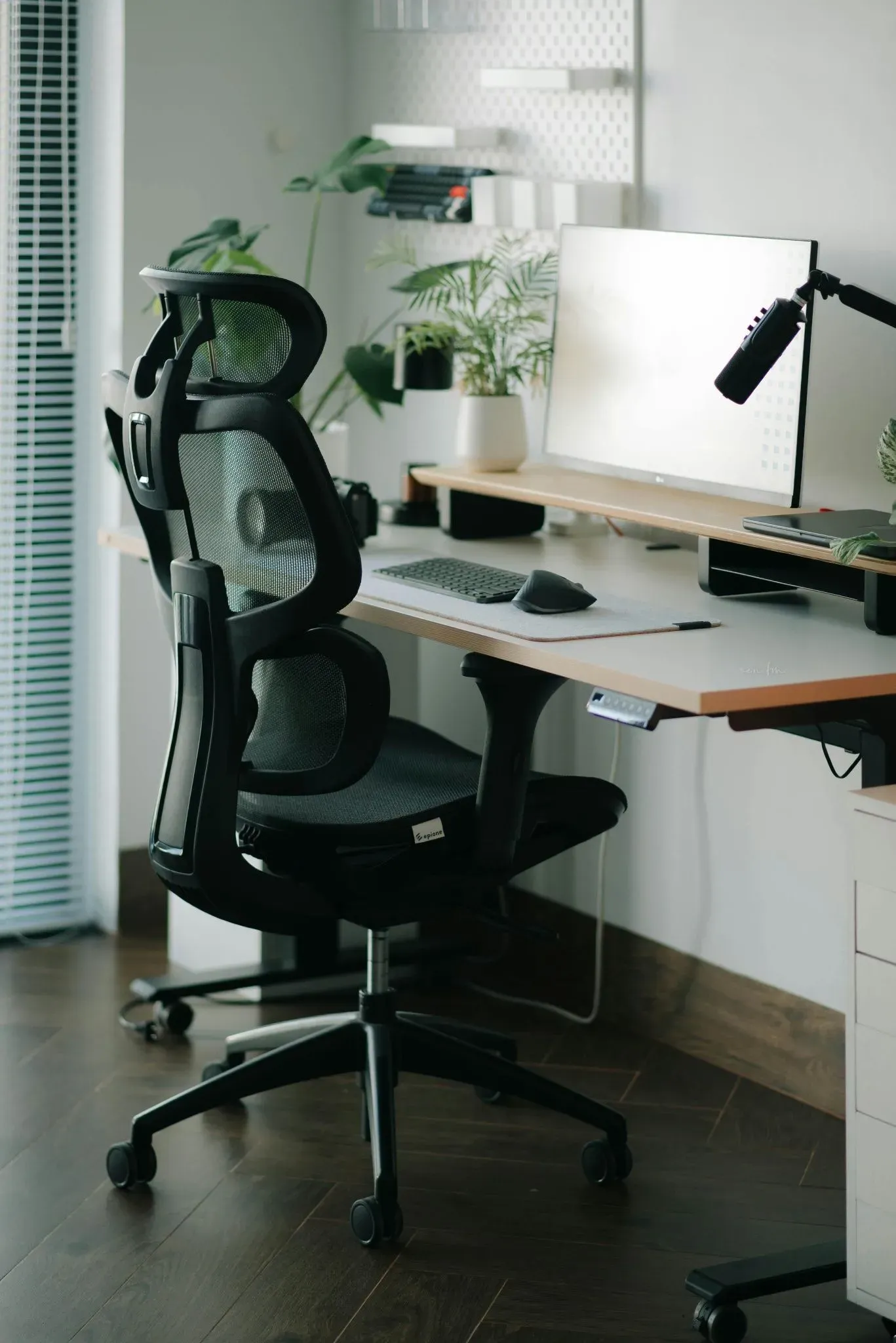
Best Lumbar Support Pillows for Office Chairs (2026):
4 Cushions That Actually Helped Me
By Kelly Kaziyo
Let me tell you about the mistake I made after buying my ergonomic chair.
I spent months researching. Read dozens of reviews. Finally dropped serious money on a chair that was supposed to fix my back pain.
And you know what? It helped. But my back still hurt.
Not as bad as before. Just enough to be annoying. Just enough that I'd still shift around trying to get comfortable.
Turns out, the problem wasn't my chair. It was the gap between my chair and my back.
Every chair has a curve. But your back's curve is unique. If they don't match perfectly—and they almost never do—you end up with a space where your lower back gets zero support.
That's where lumbar pillows come in.
A good lumbar cushion fills that gap, supports your spine's natural curve, and turns any chair into an ergonomic chair.
I've tested a bunch. Read hundreds of reviews. Here are the ones that actually work.
First, What Makes a Lumbar Pillow Good?
Before we get to the list, here's what matters.
Memory foam holds its shape and doesn't flatten after a week. Adjustable straps keep it in place—most people put it too high or too low. A breathable cover means no swamp back after hours of sitting. And it should be firm but forgiving. Too soft means no support. Too hard means uncomfortable.
The 4 Best Lumbar Support Pillows Right Now
1. QUTOOL Lumbar Support Pillow – The #1 Best Seller
This is the most popular lumbar pillow on Amazon for a reason. Over 25,000 reviews and still holding 4.4 stars.
The memory foam doesn't flatten. The adjustable straps fit any chair—office chairs, cars, gaming chairs. And the breathable mesh cover keeps you cool.
What real users say:
"I've tried three different lumbar pillows. This is the only one that actually stays in place and supports my back."
"My lower back pain disappeared after a week. Should've bought this years ago."
If you have lower back pain from sitting, this is the safest bet.
2. Everlasting Comfort Lumbar Support Pillow – Best for All-Day Sitting
This one is similar to QUTOOL but slightly firmer and thicker. Better for people who sit 8+ hours and need serious support.
The thicker memory foam holds up over time. The wider design covers more of your back. And it stays cool—no sweating.
What real users say:
"I sit 10 hours a day for work. This cushion saved my back."
"Firmer than I expected, but that's exactly what I needed."
If your chair's lumbar support is weak, this fixes it.
3. Comfilife Lumbar Support Pillow – Best Budget Option
Not everyone can drop $40 on a cushion. The Comfilife is cheaper, but still solid.
It's affordable. It has adjustable straps. And it works for most chairs.
What real users say:
"For $25, this is great. Not as firm as expensive ones, but definitely helps."
"Good starter cushion. I'll probably upgrade later, but for now it works."
This is perfect for students, part-time remote workers, or anyone who wants to try a lumbar pillow without spending much.
4. OPTP McKenzie Lumbar Roll – Best for Medical-Grade Support
This one is different. It's not a plush cushion—it's a firm roll designed by physical therapists based on the McKenzie Method.
It provides firm support, not soft. It has a slim profile so it doesn't push you forward. And it's used in clinical settings.
What real users say:
"My physical therapist recommended this. Took a few days to get used to, but now my back feels better than it has in years."
"It's firm. Really firm. But if you need real support, this is it."
This is for people with diagnosed back issues, herniated discs, or anyone who wants medical-grade support. It's not for people who want soft cushions.
How to Actually Use a Lumbar Pillow
Most people put it in the wrong spot. Here's the fix.
Sit in your chair normally. Feel for the curve in your lower back—about waist level. Place the pillow so it fills that curve, not too high and not too low. Secure the straps so it doesn't move. Adjust until it feels supportive, not like something is poking you.
A good lumbar pillow should feel like your back is finally being held.
Bottom Line
You don't need to spend $1,000 on a new chair to fix your back pain. Sometimes all you need is a $30 cushion.
The QUTOOL is the safest bet for most people. The Everlasting Comfort is better if you sit all day. The Comfilife works if you're on a budget. And the OPTP McKenzie is there if you need medical-grade support.
Your back has been carrying you your whole life. Give it the support it deserves.
Disclosure: As an Amazon Associate, I earn from qualifying purchases. This means if you click a link and buy something, I may make a small commission at no extra cost to you.
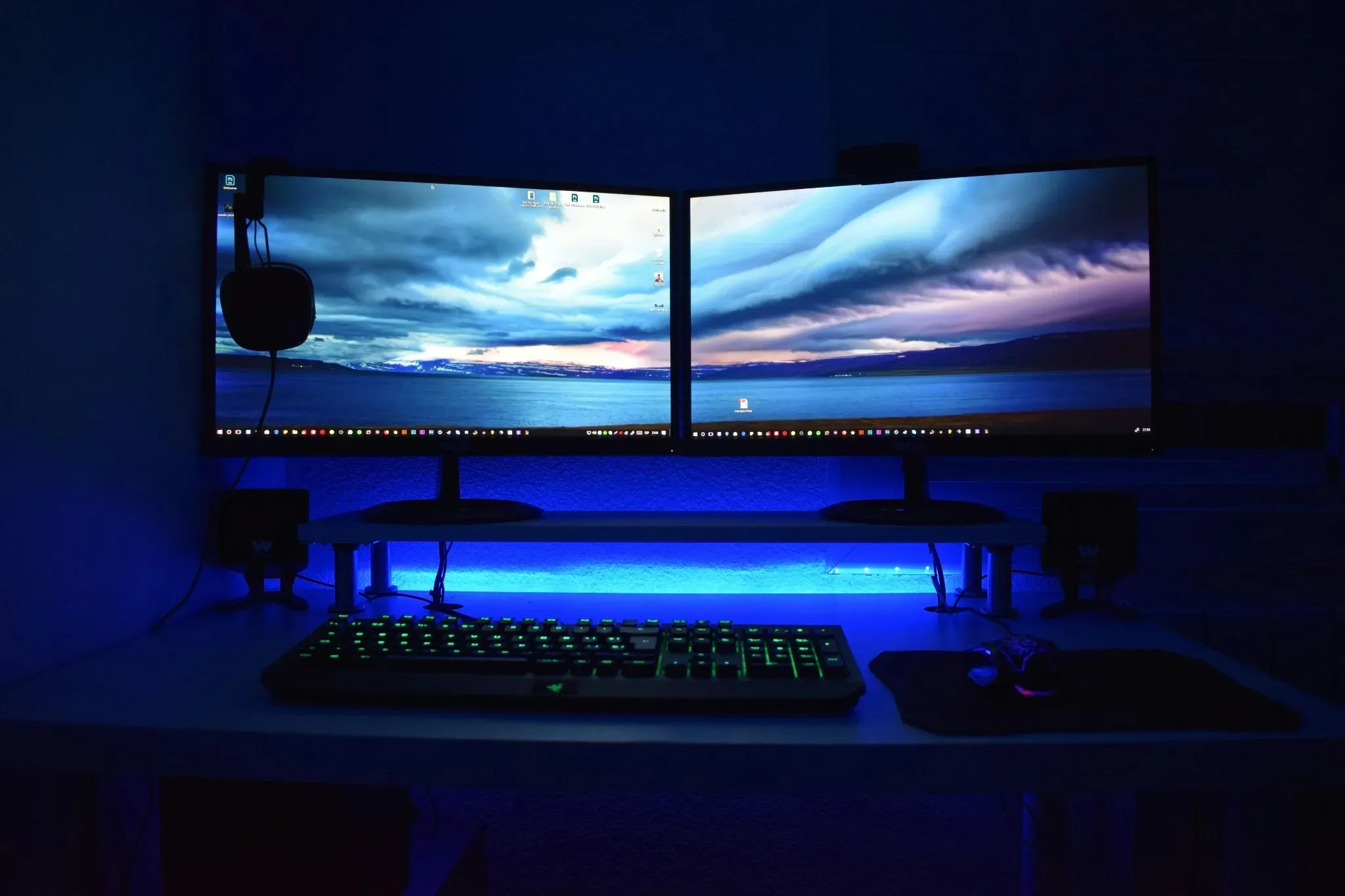
Best Monitor Arms for Back and Neck Pain (2026)
By Kelly Kaziyo
Let me tell you about the month my neck tried to kill me.
I'd just gotten my first proper monitor arm. Felt like a pro. Floating screen, clean desk, all that. Set it up in like 10 minutes and went back to work feeling proud of myself.
Couple weeks later, my neck starts hurting. Not badly at first. Just that "eh I probably slept wrong" kinda ache.
Then it got worse. And worse. Until I couldn't turn my head without wincing.
Turns out? I'd set up my monitor arm completely wrong. Screen too high. Too far. Wrong angle. My neck had been compensating for weeks and finally said "nah I'm done."
Fixed the setup. Pain went away in like 3 days.
Point is: a monitor arm isn't magic. It's a tool. And like any tool, if you use it wrong, it can hurt you.
Here are the best monitor arms for people who actually care about their neck and back.
First, Why Monitor Position Matters for Neck Pain
Your head weighs about 10-12 pounds. That's like carrying a bowling ball around all day.
When your monitor is positioned right, your spine stacks nicely and your muscles don't have to work overtime.
When your monitor is positioned wrong? Your head shifts forward. Now those neck muscles have to hold that bowling ball at an angle. All day. Every day.
Eventually they get tired. Then they get angry. Then you get pain.
A good monitor arm lets you get it right.
The 4 Best Monitor Arms for Back and Neck Pain
Ergotron LX – The Gold Standard
This is the most recommended monitor arm on the internet. For good reason.
It's rock solid. Holds even heavy monitors without sagging. Has a 10-year warranty. And it's infinitely adjustable—height, tilt, swivel, everything.
I've seen this recommended in dozens of Reddit threads. People who buy it keep it for years. Some have had theirs for over a decade and they still work perfectly.
What real users say:
"My neck pain disappeared after I got this. Being able to position my screen exactly where it needs to be changed everything."
"Expensive but worth it. Buy once, cry once."
"Had mine for 7 years. Moved houses three times. Still works like day one."
If you want zero worries and a monitor arm that lasts forever, get this.
Amazon Basics Premium – Best Value
Here's a secret that Reddit loves to share: this arm is made by the same company as Ergotron. Same mechanism. Same quality. Half the price.
It holds up to 25 pounds, fits most monitors up to 34 inches, and adjusts smoothly. The gas spring mechanism works just as well as the expensive ones.
What real users say:
"It's literally the same as the Ergotron LX but cheaper. Don't overthink it."
"Perfect for my home office. My neck doesn't hurt anymore."
"Been using mine for 2 years with a 34-inch ultrawide. Zero issues. Best $100 I've spent."
This is the smart buy for most people. You get Ergotron quality without the Ergotron price tag.
HUANUO Single Monitor Arm – Best Budget Pick
Not everyone can drop $100+ on a monitor arm. I get it. When you're starting out, every dollar counts.
The HUANUO is under $50 and still gets the job done. It's adjustable, holds most monitors up to 22 pounds, and has solid reviews from thousands of buyers.
What real users say:
"For $45, this is unbeatable. My neck feels way better."
"Not as fancy as the expensive ones, but it works. My monitor stays where I put it."
"Perfect for my first home office setup. Will upgrade later, but for now it's great."
This is perfect for students, first-time buyers, or anyone on a tight budget who still wants the health benefits of a properly positioned screen.
VIVO Dual Monitor Arm – Best for Two Screens
If you use two monitors, your neck is probably twisting all day without you realizing it. You turn slightly to the left for one screen, slightly to the right for the other. After hours of this, your neck muscles get tight and angry.
This arm lets you position both screens exactly where they need to be—centered, at the right height, at the right distance.
What real users say:
"I used to turn my head constantly. Now both screens face me directly. Neck pain gone."
"Took 15 minutes to install. Best purchase I've made for my home office."
"Having both monitors on one arm saves so much desk space too."
If you're a dual-monitor person, this is the one.
How to Set Up Your Monitor Arm for Neck Pain
Getting the right arm is only half the battle. You have to set it up properly too.
Height
When you're sitting up straight with your shoulders relaxed, your eyes should hit the top third of your screen. Not the middle. Not the bottom. The top third.
Close your eyes, sit naturally, then open them. Where you're looking is where the top of your screen should be.
Distance
Your screen should be about an arm's length away. Extend your arm. Your fingertips should just barely touch the screen.
Tilt
Tilt the screen slightly back, about 10 to 20 degrees. This reduces glare and keeps your neck in a neutral position.
Position
Center the screen directly in front of you. Your nose should point at the middle of the screen. No twisting.
Bottom Line
A good monitor arm won't just clean up your desk and make it look cool. It'll save your neck.
The Ergotron LX is the best if you can afford it and want something that lasts forever. The Amazon Basics Premium is the smart value pick for most people. The HUANUO works great for tight budgets. And the VIVO is perfect if you run two screens.
I learned the hard way that a badly positioned monitor can wreck your neck. Don't be like me. Get your screen where it needs to be.
Your neck has been carrying your head around your whole life. Give it a break.
Disclosure: As an Amazon Associate, I earn from qualifying purchases. This means if you click a link and buy something, I may make a small commission at no extra cost to you.